Stop Waiting for the Final Survey: Evaluate Learning at Every Stage
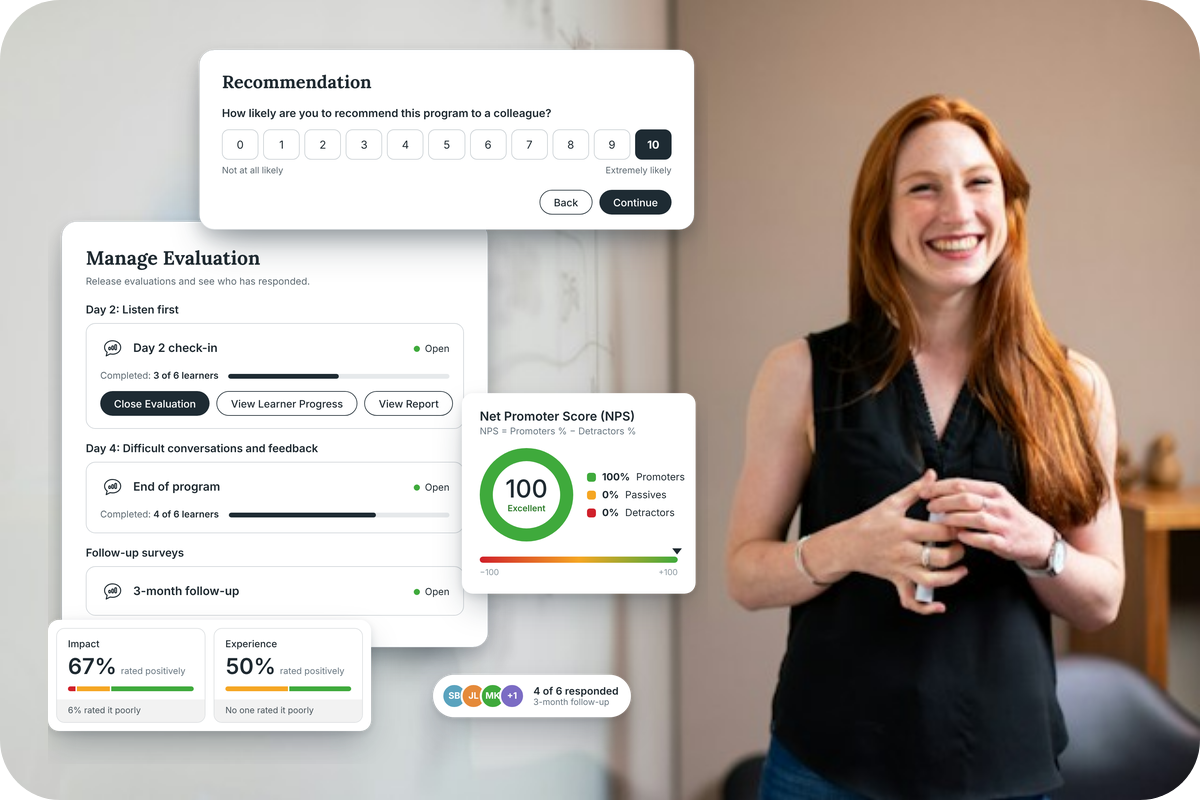
Most program evaluation happens too late and stops too early. The survey goes out on the last day, so any issues surface after you can fix them. Nobody checks back three months later to see whether the learning made it into the workplace. And the results sit in a separate tool or spreadsheet, disconnected from the program they describe.
Meanwhile, your clients and sponsors are asking harder questions. Did it work? Are people doing anything differently? Was it worth the investment?
The new evaluation surveys in Guroo Academy are built to answer those questions. They let you gather feedback during a program, at the end, and months afterwards, act on it in real time, and turn the results into evidence your sponsors will value.
Why evaluation belongs inside the program
Plenty of training providers run evaluations through third-party survey tools. They work, but they sit outside the learning experience. You rebuild your session list and facilitator names in another system, chase responses by email, and then match the results back to the program by hand.
We built evaluations directly into the structure of your program. The sessions, facilitators, and learning objectives you've already set up flow straight into your surveys – no re-keying. Question pools and templates come pre-populated with suggested questions your admins can review and adapt, and you can copy evaluations from one program to another. A step-by-step Evaluation Set Up Tool walks you through your first one.
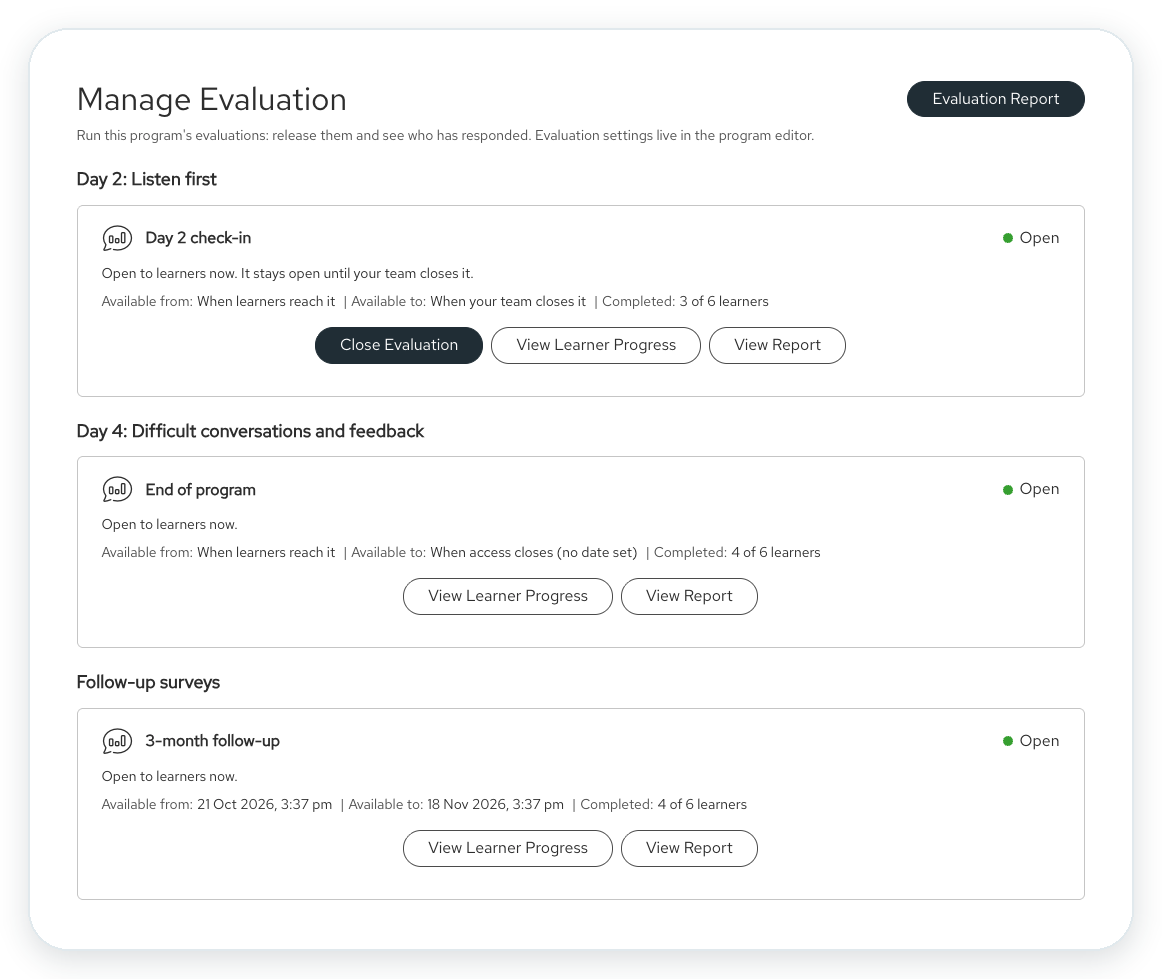
The less effort an evaluation takes to set up, the more likely it is to be set up well, on every program.
Catch problems while you can still fix them
An end-of-program survey tells you how things went. It can't help you rescue a cohort that's struggling on day two.
That's why evaluations now run throughout delivery:
- End-of-day pulse checks use a simple traffic-light rating to show how each day landed.
- Session ratings let learners rate sessions and facilitators as they go – and they're never asked to rate the same session twice.
- Anytime feedback gives learners a place to raise something, good or bad, whenever it comes up.
When a learner responds negatively, an alert goes to the program coordinator's actions inbox. Instead of discovering a problem in the final report, your team can follow up the same day, adjust a session, or brief a facilitator before the next one. That's the difference between reviewing a program and improving it while it's running.
Measure what matters at the end of the program
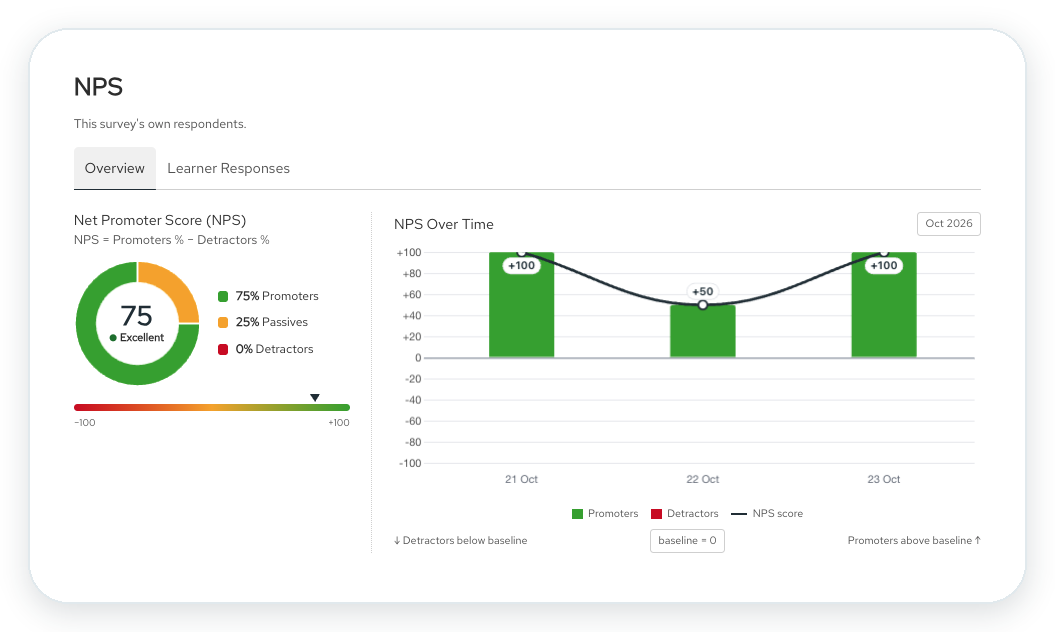
The end-of-program evaluation is still where the richest feedback happens, and it now covers every question area you need: NPS or satisfaction, learning impact, learning experience, learning objectives, sessions, facilitators, and workplace actions. You choose what to include, build from your templates and question libraries, and add your own questions where a program needs them.
A few design choices make this data far more useful:
- Impact and experience are measured separately. Whether learners enjoyed the venue is a different question from whether they can apply what they learned. Keeping them apart gives you a clear read on both.
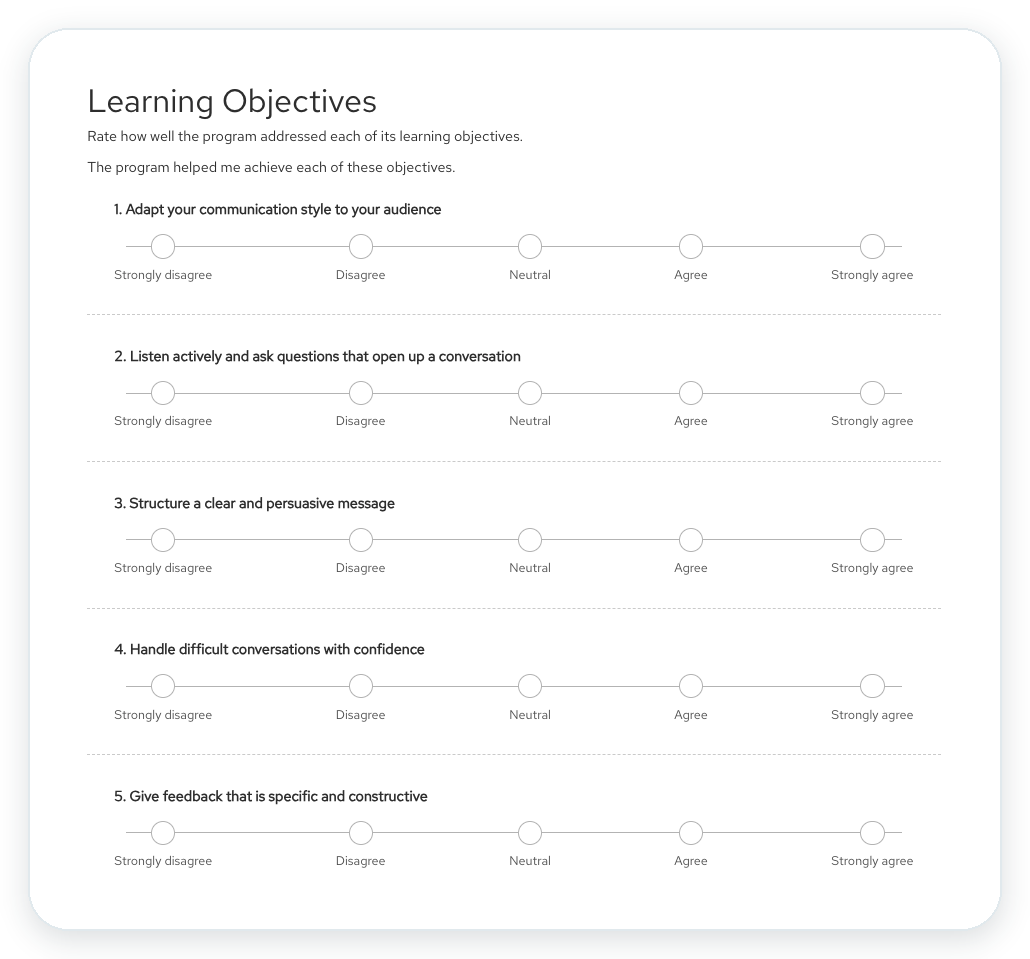
- Learning objectives are tracked from start to finish. If learners rate how important each objective is at the start, they rate how well it was addressed at the end. The gap shows you exactly where the program delivered and where it fell short.
- Open-ended responses don't need to be a chore. Optional AI analysis pulls themes from written comments, so you can ask open questions without reading hundreds of responses one by one.
- Testimonials come at the right moment. Learners who give a positive rating are invited to share a testimonial, giving open programs a steady supply of authentic marketing content.
Prove the learning stuck
The real test of a program is what happens back at work. That's why evaluations now extend beyond the final session.
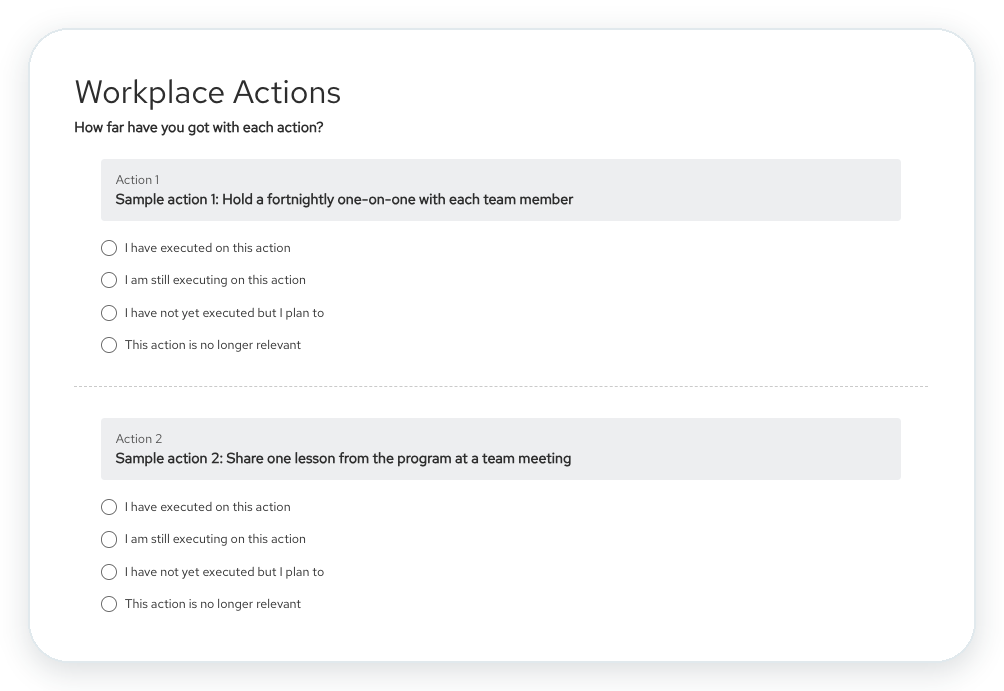
At the end of a program, learners commit to specific workplace actions – running a practice presentation with their team, for example. In a follow-up survey sent on the schedule you set, they report back on how they're going: done, in progress, not yet but still intending to, or no longer relevant. You can send as many follow-ups as you need – at three, six, or 12 months – to match the evaluation framework you've agreed with a client. Learners complete them straight from an email link, with no need to log in.
This lets you compare intended impact with actual impact. Instead of asking learners whether they plan to apply something, you can show how many did. Workplace actions also connect with manager-led coaching, so learners can share their commitments with a coach or their cohort and stay accountable.
Turn results into evidence sponsors value
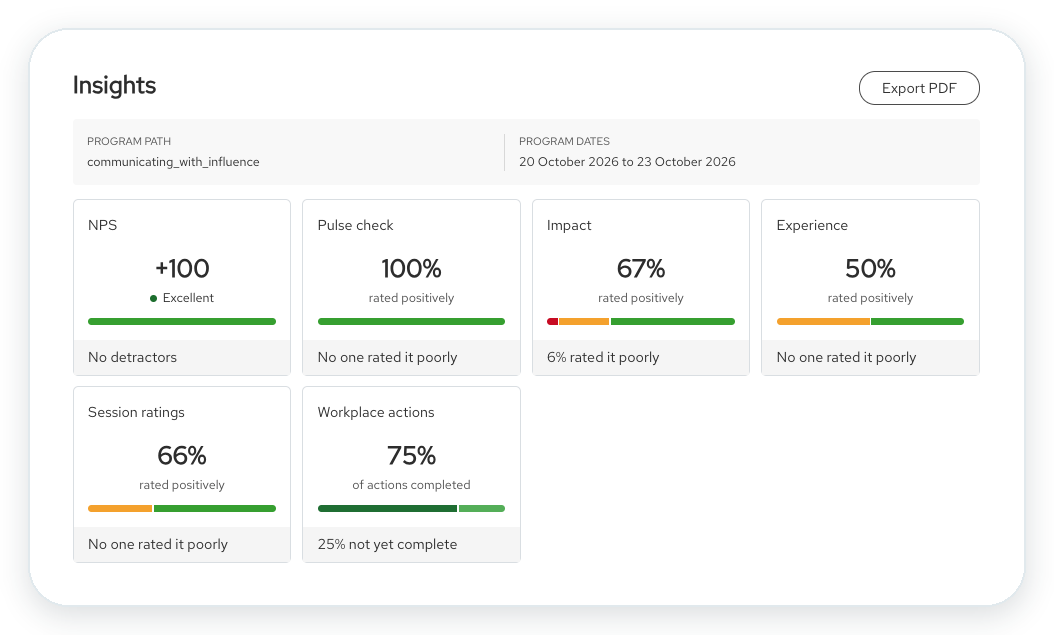
Collecting data is only half the job. The program evaluation dashboard shows response rates, who still needs to respond, and results by question area, with filters for date and group so you can focus on one cohort or compare runs over time. An executive summary – written by you or drafted with AI – sets the scene, and you can export a PDF report in your platform's branding.
For custom and B2B programs, you can share results directly with sponsors. You control exactly what each sponsor sees – nothing, headline results, or everything, section by section – and preview the report exactly as they'll see it before you publish.
This is where evaluation becomes a business asset. Clear, credible impact reporting positions you as a strategic capability partner rather than a training vendor, and gives your clients the evidence they need to renew.
Better programs, cohort after cohort
Evaluation data improves both how you deliver and how you build. During delivery, it helps you respond quickly. Between runs, it shows which sessions, facilitators, and objectives are landing – so your next redesign is based on evidence, not guesswork.
Frequently asked questions
Do I need to use every question type?
No. Choose the question areas that suit each program. A one-day workshop might only need an end-of-day evaluation, while a multi-day program benefits from pulse checks and session ratings too.
Can I use my own questions?
Yes. You can create custom questions for your organisation or for a single program. Questions in your shared question pool also roll up into portfolio-level reporting in Mission Control.
Can I see what reports will look like before I have data?
Yes. A demo mode shows the dashboard with sample data, so you can see what your reporting will look like before responses come in.
When are evaluations available?
They're rolling out throughout November. Your platform admins will complete a short setup to review the question pools and templates, then switch evaluations on for your team.
Make every program easier to prove
Evaluation shouldn't be an afterthought or a separate system. With evaluations built into Guroo Academy, you can listen throughout delivery, measure what changed afterwards, and show your sponsors the value of every program.
Ready to see evaluations in action? Speak with your Customer Success Manager, or book a demo to explore how Guroo Academy helps you measure learning impact.
If you missed the webinar, you can view it here.
BOOK A 30-MINUTE PERSONALISED DEMO
Spend less time juggling tools and more time running your business.
See how Guroo Academy connects your courses, clients, payments and operations in one platform.